
Landing
Hintergrund von Glas entfernen — Reflexionen
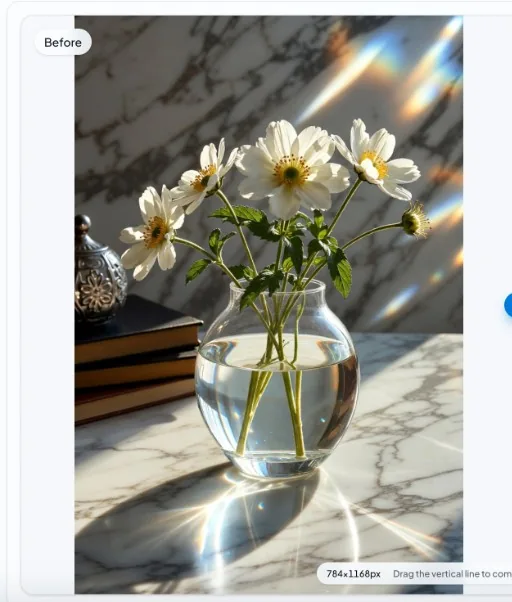
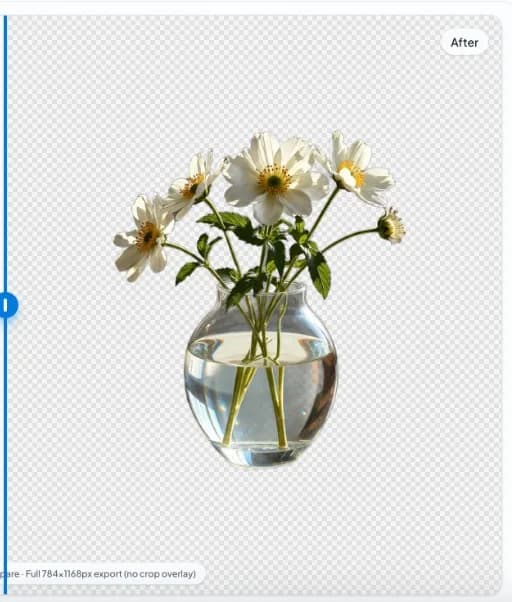
True glass behavior violates a simple foreground/background split. Automated tools can outline the container yet struggle where transparency dominates.
Before
After
Product photography angle
Controlled studio lighting reduces unpredictable reflections. eCommerce glass often needs retoucher time after auto segmentation.
Screenshots of UI glass
Flat UI with blur panels is a different domain than physical glass—results vary by contrast and resolution.
Quick steps
- Open image. Load the glass product or scene in the editor.
- Generate mask. Run local segmentation and review reflection boundaries.
- Touch up if required. Export PNG and refine problematic areas in a bitmap editor.
FAQ
Why does glass break automatic masks?
You see both transmitted background light and reflected highlights; the model must guess intent.