
Landing
Elimină fundalul de la păr — șuvițe fine, AI local
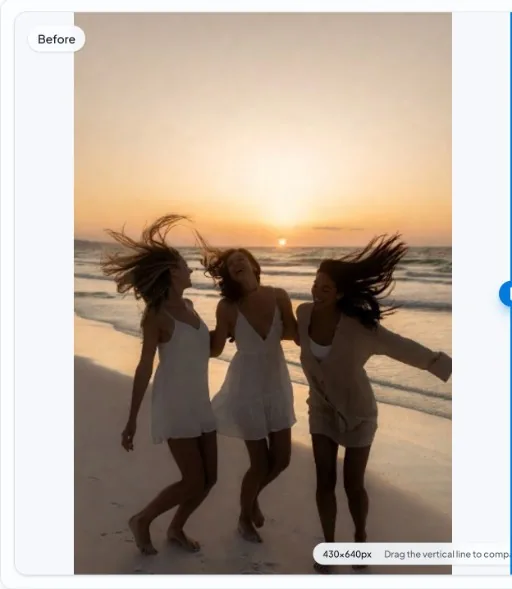
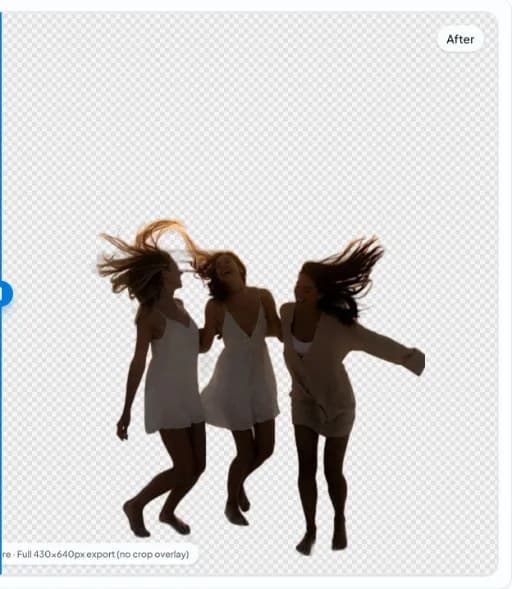
Hair blends transparency and fine geometry. Any model will miss some strands; local processing still helps you preview iterations quickly without uploading every attempt.
Before
After
Why hair is hard
Sub-pixel strands, motion blur, and backlighting violate simple foreground assumptions. Plan time for touch-up on hero assets.
Capture tips
Separate subject from backdrop color, add rim light for edge definition, and prefer sharper focus on the hair line.
Quick steps
- Open sample or photo. Load your portrait in the editor; compare with the hair detail example if helpful.
- Run segmentation. Generate a mask locally and inspect the crown and shoulders at full zoom.
- Refine externally if needed. For campaign finals, combine with manual matting in your preferred graphics tool.
FAQ
Will every strand be perfect?
Expect occasional misses on wispy hair. That is normal across commercial segmentation systems.
Is there an example?
See the hair detail example linked below for a documented before/after.