Topic
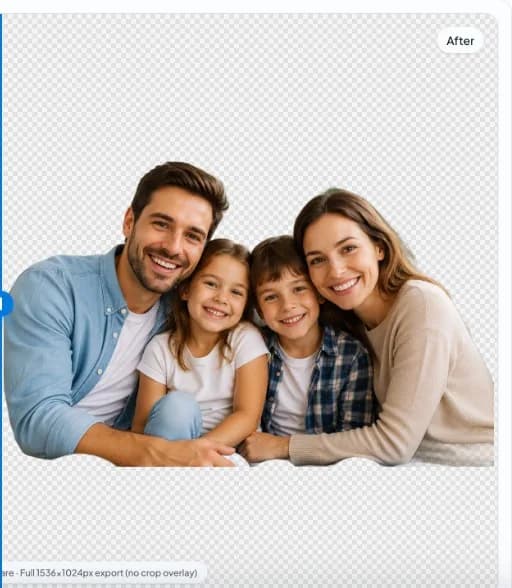
Portrait & Headshot Background Remover
Professional headshot background removal in the browser: edge quality around hair, suitable export sizes for LinkedIn and team pages, and privacy for client sessions.
nobg.eu EditorialEditorial standards
Definition
Headshot background removal isolates a person from studio or office backdrops for consistent team pages, speaker bios, and press kits—hair edge quality is the usual challenge.

Capture tips
Even lighting, separation from busy backgrounds, and sharp focus improve masks.
Professional transparent PNG
Export PNG with transparency for slides, employer branding kits, and design comps.
Headshot standards
Neutral backgrounds, even lighting on face, and consistent crop from eyes to chin per brand guidelines.
Hair and fine edges
Flyaway strands need good separation from backdrop color. Shoot with backdrop 1–2 stops darker or lighter than hair.
Crop templates
LinkedIn, company wiki, and conference sites use different radii—export a high-res master then crop variants.
Privacy for client sessions
Local browser processing avoids uploading executive portraits to unknown servers before approval.
Retouching scope
Background removal is not skin retouching; keep ethical editing policies for HR photos.
Rollout plan for teams
Pilot on ten representative images from your studio before changing an entire catalog pipeline. Record export dimensions, padding, color profile, and filename conventions in a one-page SOP so contractors and virtual assistants produce consistent assets.
QA zoom routine
Inspect edges at 200% on corners, label text, and fine structures. Reject masks with halos, missing interior holes, or color fringing before upload—marketplace acceptance does not equal buyer trust.
Privacy and client work
When photos include unreleased products or identifiable people, prefer local browser inference for the cutout step. Read nobg.eu Privacy Policy for site analytics separately from segmentation architecture.
Channel-specific follow-through
After cutout, each sales channel imposes different flattening, padding, and metadata rules. Build a checklist per channel rather than reusing one JPEG everywhere. Amazon may require pure white mains; Shopify may use transparency; email may need compressed WebP. The same transparent master should feed all three with documented export steps.
Measuring business impact
Track return reasons and zoom engagement on PDPs—not only time per image. Poor edges increase perceived risk even when listings go live. A slightly slower QA workflow often pays for itself in fewer customer service contacts about 'item looked different.'
Tooling boundaries
Browser-local removers excel at interactive QA and privacy-sensitive drafts. They are not a replacement for every DAM automation or print CMYK pipeline. Choose per job: local first for confidentiality and iteration speed; server automation when unattended scale dominates.
Quick reference
Open nobg.eu → import image → run local segmentation → compare edges → export PNG/WebP → composite per channel. Revisit capture if edges fail twice.
Support and corrections
If this page omits a scenario you hit in production, contact nobg.eu with the page URL and a short description. We update editorial content when product behavior or marketplace rules change.
FAQ
LinkedIn profile picture?
Many users export a square or tight crop after cutout—verify platform crop previews.
Model photo?
Fashion and studio portraits work similarly; watch for flyaway hair and rim lighting.
Can nobg.eu handle corporate headshots?
Yes for many studio setups; extreme hair may need touch-up.
What background color after removal?
Transparent PNG lets you place brand colors in compositor.
Recommended export size?
2000 px on long edge is a safe master for most portals.
Glasses glare?
Fix at capture; segmentation cannot invent missing eye detail.
Group photos?
See family/group topic when available; single-subject headshots work best.
Consent?
Ensure subjects consent to photo use on company properties.
Should I process confidential images in the browser?
Local inference reduces third-party cutout processors; confirm analytics and consent separately in the Privacy Policy.
What if edges are still wrong after AI?
Improve capture separation, try a fresh export, or budget manual retouch for hero assets.
Related pages
Related topics
Why local processing matters
nobg.eu runs background removal in your browser session. The goal is simple: fewer unnecessary image transfers and faster starts than upload-first pipelines, without promising impossible quality on every edge case.
No upload image editing
Core cutout processing is designed as local image processing: you open a file, the model runs client-side, and you export. You still load the website and assets over HTTPS like any site.
Browser AI explained
Browser AI here means inference executes in web runtime, with WebGPU when available and fallbacks when needed. It is not a generic cloud brain; it is on-device execution after the app loads.