
Topic
Remove Image Background Without Photoshop
Remove image backgrounds without Photoshop using browser-based local AI: workflows for sellers, creators, and teams who need transparent PNG exports without Creative Cloud overhead.
nobg.eu EditorialEditorial standards
Definition
Background removal without Photoshop means using dedicated segmentation tools—often AI-powered—to isolate subjects and export PNG/WebP with alpha, without layer masks in Adobe workflows.
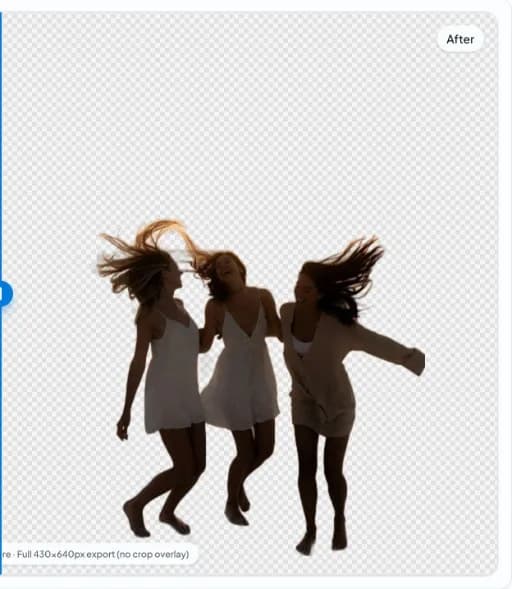
Tradeoffs
Desktop tools may offer heavier manual masking; nobg.eu optimizes for fast, private automated cutouts with export controls.
Supported inputs
Common formats include PNG, JPG, and WebP as supported by the app.
When Photoshop is still worth it
Complex composites, CMYK print prep, and advanced dodge/burn on masks still benefit from Photoshop. Many web-only workflows do not need it.
Browser-local alternative
nobg.eu loads models into the tab, runs inference on-device, and exports results—no install, no subscription for basic cuts.
Comparison to mobile apps
Apps may upload to cloud by default. Verify privacy policies. Browser-local paths keep control in the session.
Learning curve
Photoshop mask skills take time. AI segmentation trades control for speed on straightforward product and portrait scenes.
Team enablement
Non-designers can produce acceptable cutouts for internal decks and drafts, reserving retouching budget for hero campaigns.
Rollout plan for teams
Pilot on ten representative images from your studio before changing an entire catalog pipeline. Record export dimensions, padding, color profile, and filename conventions in a one-page SOP so contractors and virtual assistants produce consistent assets.
QA zoom routine
Inspect edges at 200% on corners, label text, and fine structures. Reject masks with halos, missing interior holes, or color fringing before upload—marketplace acceptance does not equal buyer trust.
Privacy and client work
When photos include unreleased products or identifiable people, prefer local browser inference for the cutout step. Read nobg.eu Privacy Policy for site analytics separately from segmentation architecture.
Channel-specific follow-through
After cutout, each sales channel imposes different flattening, padding, and metadata rules. Build a checklist per channel rather than reusing one JPEG everywhere. Amazon may require pure white mains; Shopify may use transparency; email may need compressed WebP. The same transparent master should feed all three with documented export steps.
Measuring business impact
Track return reasons and zoom engagement on PDPs—not only time per image. Poor edges increase perceived risk even when listings go live. A slightly slower QA workflow often pays for itself in fewer customer service contacts about 'item looked different.'
Tooling boundaries
Browser-local removers excel at interactive QA and privacy-sensitive drafts. They are not a replacement for every DAM automation or print CMYK pipeline. Choose per job: local first for confidentiality and iteration speed; server automation when unattended scale dominates.
Quick reference
Open nobg.eu → import image → run local segmentation → compare edges → export PNG/WebP → composite per channel. Revisit capture if edges fail twice.
Support and corrections
If this page omits a scenario you hit in production, contact nobg.eu with the page URL and a short description. We update editorial content when product behavior or marketplace rules change.
Remove Background Without Photoshop: production checklist
For Remove Background Without Photoshop workflows on nobg.eu, treat background removal as a controlled production step rather than a one-click gamble. This section focuses on practical Remove Background Without Photoshop production steps that keep edge quality predictable. Start from a source file that already separates the subject from the backdrop in luminance and color; local segmentation amplifies good capture decisions and cannot invent missing edge data. Open the asset in the browser editor, run on-device inference, then inspect the mask at 100–200% zoom along high-risk edges before you export. Keep a short checklist: separation at capture, warm-browser inference, zoomed edge review, alpha export, then channel-specific flatten if required. Prefer transparent PNG or WebP masters when downstream systems support alpha, and flatten to a channel-required solid fill only after QA. Document filename patterns, padding conventions, and review checklists so teammates repeat the same quality bar without re-uploading assets to an external cutout API for every draft. When edges fail, fix lighting or reshoot rather than endlessly masking a compromised source—this is usually faster for Remove Background Without Photoshop catalogs and keeps privacy intact because pixels for the core edit stay in the browser session.
Remove Background Without Photoshop: failure modes and fixes
For Remove Background Without Photoshop workflows on nobg.eu, treat background removal as a controlled production step rather than a one-click gamble. Common Remove Background Without Photoshop failures are predictable and usually start upstream of the model. Start from a source file that already separates the subject from the backdrop in luminance and color; local segmentation amplifies good capture decisions and cannot invent missing edge data. Open the asset in the browser editor, run on-device inference, then inspect the mask at 100–200% zoom along high-risk edges before you export. If semi-transparent fringe remains, re-export from a less compressed source and avoid lossy re-encoding of alpha masters. Prefer transparent PNG or WebP masters when downstream systems support alpha, and flatten to a channel-required solid fill only after QA. Document filename patterns, padding conventions, and review checklists so teammates repeat the same quality bar without re-uploading assets to an external cutout API for every draft. When edges fail, fix lighting or reshoot rather than endlessly masking a compromised source—this is usually faster for Remove Background Without Photoshop catalogs and keeps privacy intact because pixels for the core edit stay in the browser session.
Comparison
Option A
Option B
Photoshop manual mask
Browser AI segmentation
Maximum control
Fast baseline mask
Subscription + learning curve
Free tier browser access
Offline native app
Runs in modern browser tab
FAQ
Do I install anything?
No—use a modern browser.
Is it free to try?
The public tool is usable without an account; see Terms for any limits.
Is quality comparable to Photoshop?
For many catalog and social use cases, yes. Difficult glass and flyaway hair may need manual touch-up anywhere.
Do I need a GPU?
WebGPU accelerates inference when available; CPU/WASM fallback still works.
Can I edit PSD files?
nobg.eu focuses on raster import/export, not PSD layer editing.
What about GIMP?
GIMP is free but manual; AI browser tools automate segmentation.
Are browser tools safe for client photos?
Local processing reduces third-party upload; confirm in Privacy Policy.
Export formats?
PNG and WebP with transparency supported.
How should I prepare source images for Remove Background Without Photoshop?
Shoot or select files for Remove Background Without Photoshop with clear subject/backdrop separation, even lighting, and enough resolution for your final export. Soft shadows glued to the silhouette are harder to salvage than sparse backgrounds.
Does nobg.eu upload Remove Background Without Photoshop assets for the core cutout?
No. Segmentation for the core edit runs locally in your browser session. Site analytics or optional ads are separate from the cutout pipeline—see the Privacy Policy.
Which export format fits Remove Background Without Photoshop delivery?
Use transparent PNG or WebP when your destination supports alpha. Flatten to solid white or brand color only when a marketplace or print pipeline requires it, after edge QA on the Remove Background Without Photoshop asset.
What usually breaks Remove Background Without Photoshop masks?
Low contrast edges, heavy JPEG blocking, motion blur, and backdrops matching subject luminance. Fix capture first; then re-run local segmentation on a cleaner source.
How do I QA a finished Remove Background Without Photoshop cutout?
Preview on white, dark, and brand-colored plates. Zoom into labels, hairlines, glass, and interior holes. Reject exports with halos or chewed corners before publishing.
Related pages
Related topics
Why local processing matters
nobg.eu runs background removal in your browser session. The goal is simple: fewer unnecessary image transfers and faster starts than upload-first pipelines, without promising impossible quality on every edge case.
No upload image editing
Core cutout processing is designed as local image processing: you open a file, the model runs client-side, and you export. You still load the website and assets over HTTPS like any site.
Browser AI explained
Browser AI here means inference executes in web runtime, with WebGPU when available and fallbacks when needed. It is not a generic cloud brain; it is on-device execution after the app loads.