
Landing
Remove background from a logo — transparent PNG in browser
Logos often need a clean alpha channel for websites, decks, and merch mockups. Local inference lets you iterate on a master file without sending every revision to a remote processor.
Before

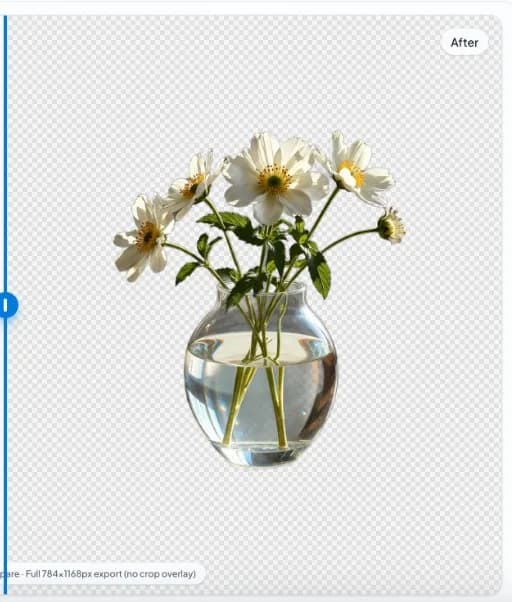
After
Raster vs vector logos
This tool targets raster images (PNG/JPEG/WebP). If you have a true vector source (SVG), prefer vector workflows for infinite scaling.
Anti-aliased edges
Soft edges and colored halos around white marks are common. After cutout, check the asset on both light and dark backgrounds.
Brand safety
Treat exports as production assets: keep originals, version filenames, and document which cutout is approved for external partners.
Hard edges vs soft branding marks
Vector-like logos with hard angles need hole preservation (counters in letters). Soft glows and drop shadows often belong to brand kits, not cutout masks—strip decorative shadows before segmentation when the brand manual forbids them. On nobg.eu, Logo workflows keep core segmentation in the browser session so you can reject bad masks before publishing. Document filename conventions and keep pristine masters outside social recompression paths.
Multi-color and knockouts
Verify interior knockouts at 200% zoom. Local inference may fill counters if compression destroyed the hole. Prefer PNG sources over heavily compressed social JPEGs when refreshing brand kits. On nobg.eu, Logo workflows keep core segmentation in the browser session so you can reject bad masks before publishing. Document filename conventions and keep pristine masters outside social recompression paths.
Delivery packs
Ship transparent PNG/WebP plus a flattened on-white proof for stakeholders who cannot preview alpha. Document color space (usually sRGB) so print partners do not surprise you with dull conversions. On nobg.eu, Logo workflows keep core segmentation in the browser session so you can reject bad masks before publishing. Document filename conventions and keep pristine masters outside social recompression paths.
Logo operator note 7
Additional Logo guidance for AdSense-quality depth: verify edges on multiple plates, keep originals, and prefer local interactive QA over opaque credit meters when assets are unpublished or sensitive. Note 7 exists so this landing remains uniquely useful versus sibling remove-background-from pages.
Quick steps
- Load the logo file. Upload or open your raster logo in the in-browser editor.
- Remove the backdrop. Run local segmentation, then verify edges on dark and light previews if available.
- Export. Save transparent PNG or WebP for your CMS, slide deck, or storefront.
FAQ
How do I prep Logo sources?
Maximize subject/backdrop separation, avoid heavy JPEG damage, and shoot enough resolution for the final Logo deliverable.
Is Logo cutout inference local on nobg.eu?
Yes for the core edit path—segmentation runs in your browser session. Read Privacy for site telemetry separate from cutouts.
Which export fits Logo?
Transparent PNG/WebP masters first; flatten only when a channel forbids alpha.
What breaks Logo masks?
Low contrast, blur, and matching luminance between subject and backdrop. Fix capture before stacking AI passes.
How should I QA Logo?
White, dark, and brand plates at 200% zoom on critical edges before upload.